Less Friction, More Learning: Redesigning mylingua's Onboarding
How we created a seamless entry into language learning.
Role:
UX/UI Design
Field:
Language learning
Duration:
2 weeks
Challenges
The startup mylingua asked us to optimize the onboarding process in their Chinese language learning app, which came with multiple challenges. Chinese language is built in a different way than the western languages. This reflects on the app’s features, that need more explanation to use them correctly. Our client noticed that some very important features were only used by 35% of their customers. This shows, that most of their customers don’t experience the app to its full potential, making it more difficult to improve their Chinese skills. Our task was to work on the onboarding keeping in mind the features and making it as seamless as possible.
Approach
Discovery
In order to create the ideal onboarding experience for our client, we conducted research, that gave us the following insights on user behavior:
Our short-term memory cannot retain very much information.
Users tend to skip information that doesn’t seem immediately relevant.
The average app loses 77% of its daily active users within the first 3 days post-install.
The heuristic analysis of both the current onboarding screens and the app interface made clear to us, that a redesign is needed before proceeding to the onboarding itself.
Definition
Keeping in mind our client's needs and the user's needs led us to this question: How might we introduce the user to the most important features of the app in a foolproof way?
Ideation
A deeper research into different types of onboarding revealed the necessity of a two-part-onboarding: the sign up process and the in-app-onboarding, ensuring an easy introduction into the app for the user, as well as the focus on promoting the most important features.
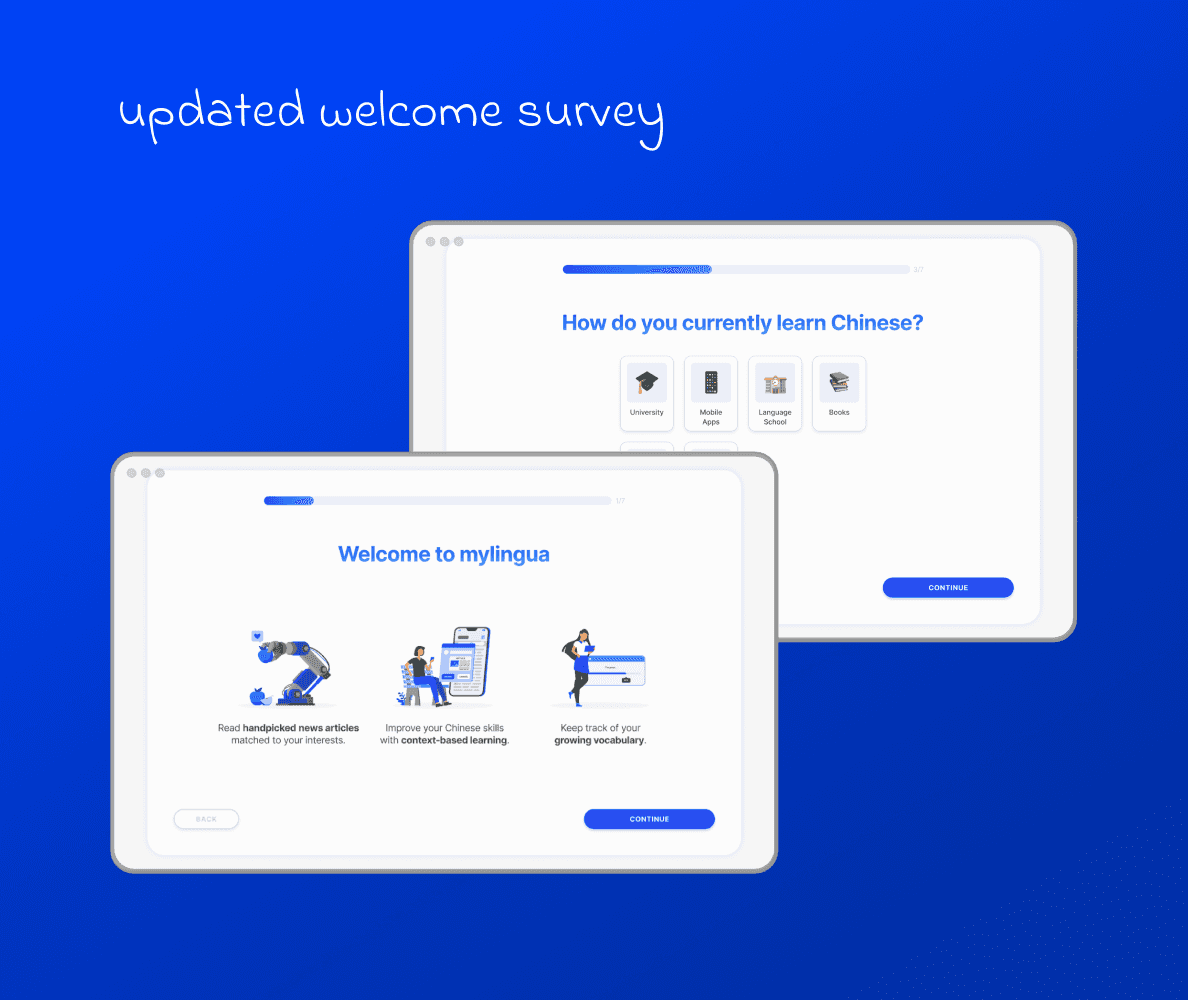
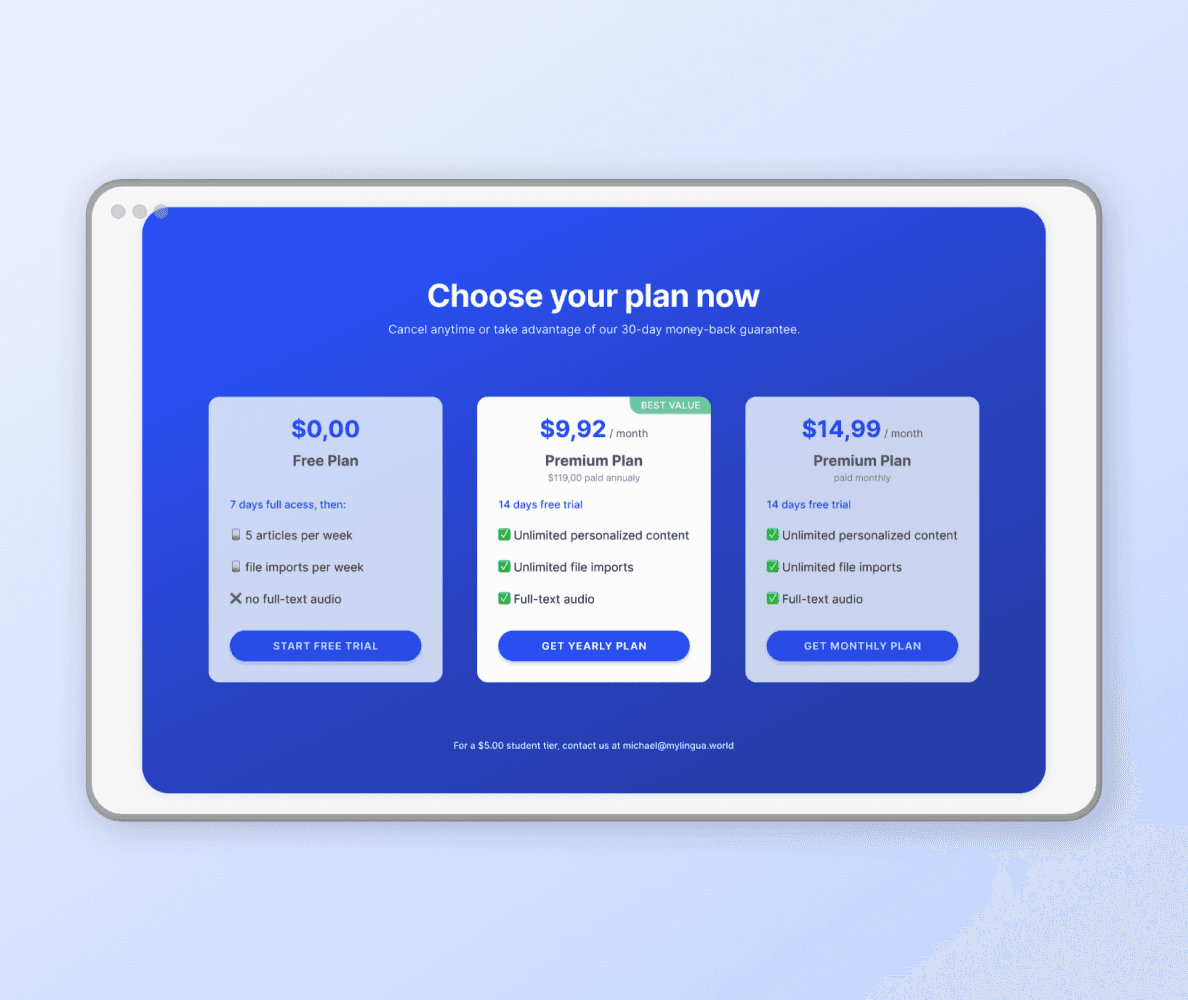
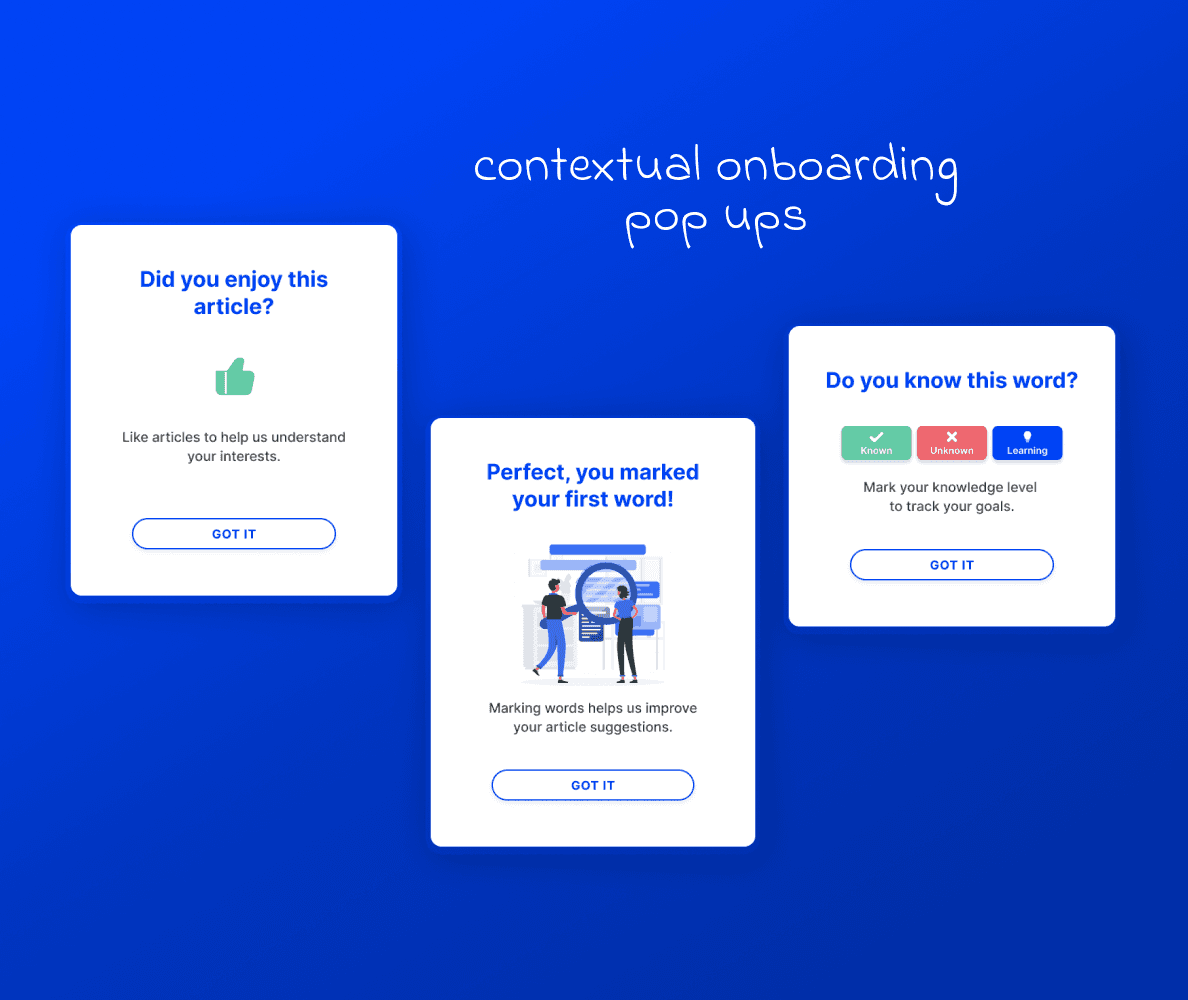
Our solution: Step 1 as a benefits-oriented onboarding, providing a frictionless sign up process, a welcome survey and giving a short and precise summary of the apps benefits. Step 2 as a progressive contextual user education, using different types of pop ups while concentrating on the most important features only. By using contextual pop ups, we also wanted to create a sense of achievement and curiosity as users unlock new features throughout the app.
Design
For the redesign of the sign up process, we…
…redesigned and decluttered the benefits screen to be precise and more visual by using illustrations.
…added a progress bar for orientation and a feeling of success.
…rephrased the questions to avoid misunderstanding.
…address only one topic or question per screen to ensure quick and easy click-through.
For the design of the contextual user education, we…
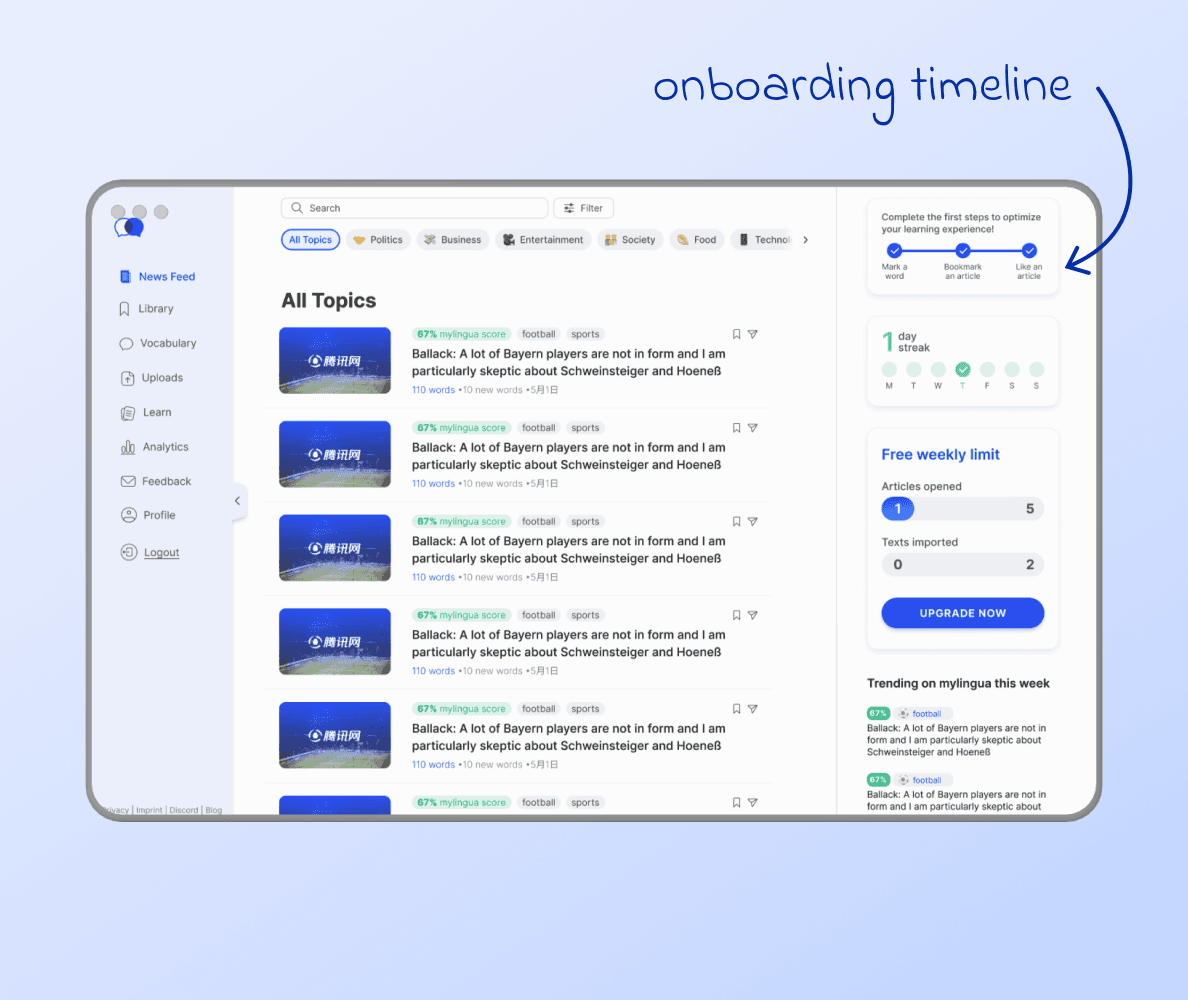
…sketched out a happy path for first time users.
…created contextual pop ups to help to get familiar with the app's interface and features.
…included a 3-step-progress bar to indicate how fast the onboarding will be finished.
Testing
For testing our prototype, we used an online tool and had 8 Chinese learners go through the onboarding. We also did in-person tests with 2 of our design colleagues. Here is what we learned from the tests:
About 70-86% of our testers understood app benefits & would use the "mark vocabulary" function (which was our client's main goal).
Despite reaching our goal to convey clear information, the way of progressive onboarding got mixed feedback. Some participants struggled with seeing the first pulsing dot and understanding the concept of it guiding through the onboarding. This is something we will work on in the next iteration!
Conclusion
For our project we designed a benefits-oriented onboarding and progressive user education that effectively highlighted the app’s key features. Testing showed that a significant majority of users understood the app’s benefits and were inclined to engage with its core functions, validating our approach. While our prototype achieved its primary goals, feedback on the progressive onboarding revealed areas for improvement, particularly in guiding users through interactive elements like pulsing dots. These insights will inform the next iteration, ensuring an even better onboarding experience.